Reports
Coverage reports your clients open and read
PR coverage reports for your clients
Paste the links and nineloops captures each page and measures its reach. Arrange the pieces into a report, send it as a link and see every time it is opened.
Reports is in every paid plan, from £67 a month billed yearly (£79 monthly), with a 15-day free trial and no card.
What you get with Reports
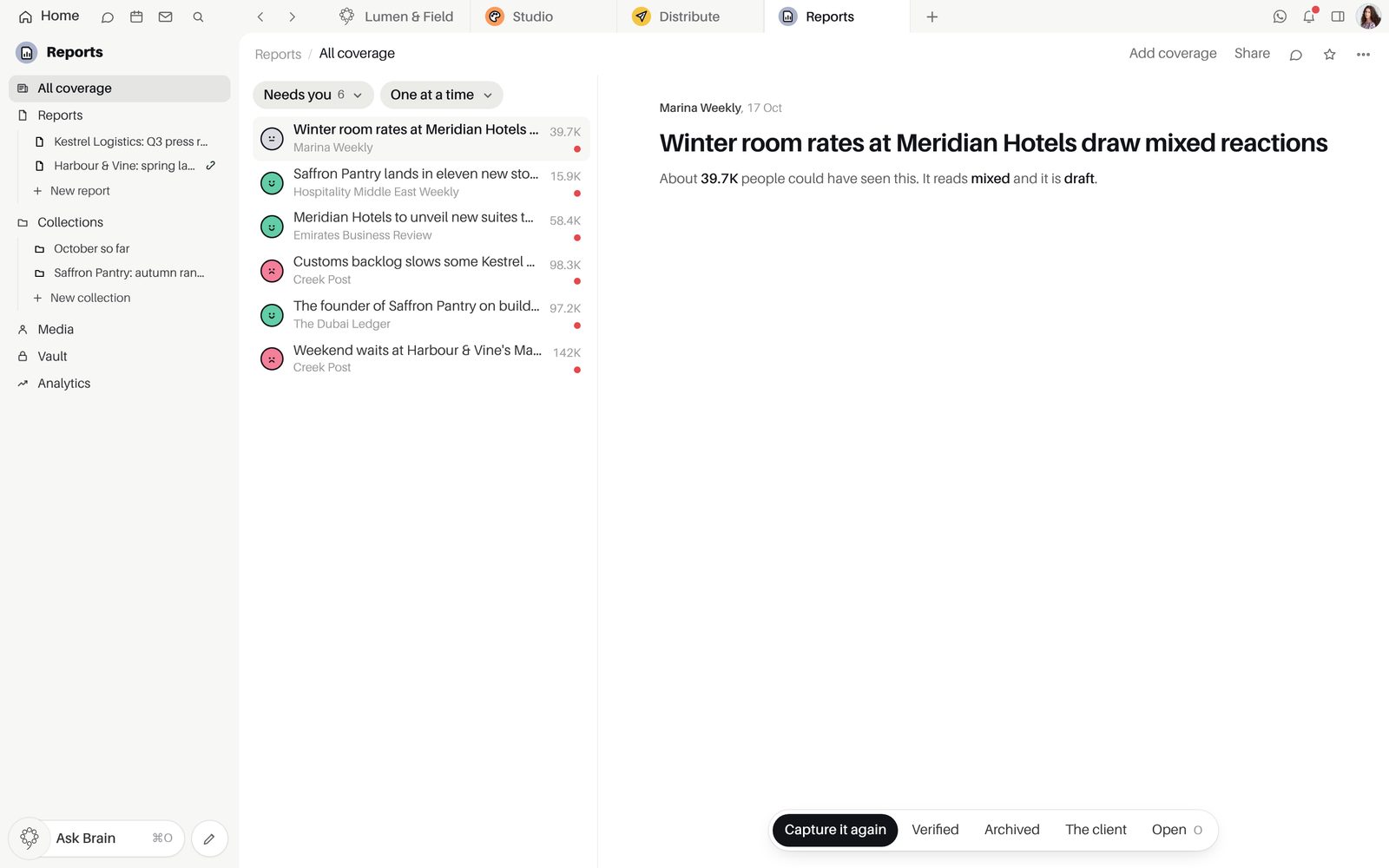
Paste links, get captured coverage.
nineloops reads each page, captures it and measures its reach. A link you already have is marked and never added twice.
- Links pasted one per line
- A capture of every page
- Collections for any set of pieces
- A Media Database of outlets and journalists
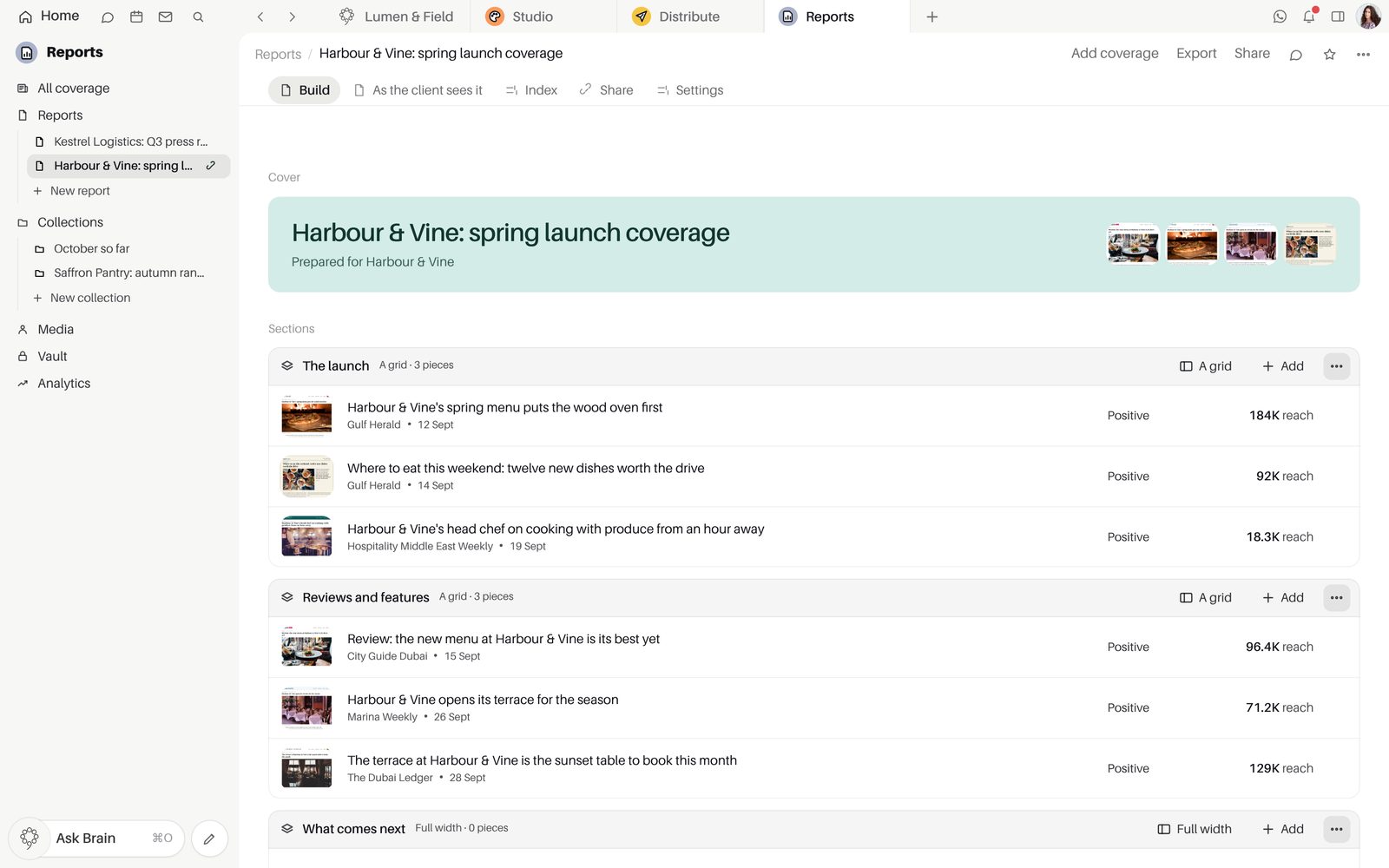
Reports laid out the way your client reads.
Name the sections, choose the figures that show and set the cover colour. A report stays a draft until you publish it.
- Prepared for, cover colour and which numbers show
- Sections you rename and lay out
- Draft, Published and Archived
Know when your client opened it.
Share a link that opens without signing in and counts every open, or send it as a PDF or spreadsheet.
- A share link with its open count
- As a PDF or as a spreadsheet
- A report card in a room
- "Send it on a schedule", every week or every month
Coverage filed on the client's record.
A piece about a client lands on their CRM timeline by itself, and a new piece can start an automation.
- Coverage on the CRM company timeline
- Analytics on reach and PR value
- A new piece can start an automation
Inside Reports
PlansIncluded in every paid plan: Starter, Growth, Agency and Enterprise. Starter, Growth and Agency begin with a 15-day free trial of every app, with no card. Not part of Free.
Good to knowIn the app this module is called Reports, and the pieces it holds are listed under All coverage.
Good to knowReports holds the coverage you add from links or from Monitoring. Finding new mentions is Monitoring's work.
Good to knowA share link opens for anyone who has it, without signing in.
Questions about Reports
How do we start on the first day?
Open "Add coverage" and paste the links you already have, one per line, and nineloops reads, captures and measures each one. Then start a report, say who it is prepared for and add the pieces.
How does Reports connect to the other apps?
A piece about a client lands on that company's timeline in the CRM. A mention in Monitoring joins a report with "Add to a report", a report can be shared into a Team Space room as a card, and a new piece can start an automation.
Which plan includes Reports?
Reports is included in every paid plan: Starter, Growth, Agency and Enterprise. Starter, Growth and Agency begin with a 15-day free trial of every app, and starting it needs no card. Reports is not part of Free.
Does Reports find coverage by itself?
No. Reports holds the coverage you add from links or bring over from Monitoring, which is where new mentions are found. Each link you add is read, captured and measured by nineloops.
Who can open a shared report?
Anyone with the share link can open the report without signing in, and the report shows how many times it has been opened. Each report keeps its own state: Draft, Published or Archived.
Start free.
Free for up to five people. Every paid plan includes every app. Browser, Mac and iPhone.