Studio
Design it once, and it goes straight to work
Design tool for on-brand social posts
Design posts, presentations and print with your brand colours and fonts to hand. A finished design posts to Instagram and your Facebook Page, fills your emails and asks for review as a task.
Studio is in every paid plan, from £67 a month billed yearly (£79 monthly), with a 15-day free trial and no card.
What you get with Studio
Everything a design needs.
Text, pictures, video, tables, charts and QR codes, animated if you like. Resize a design for wherever it goes next.
- Tables and charts
- Animate and video
- Remove background
- Bulk create from your data
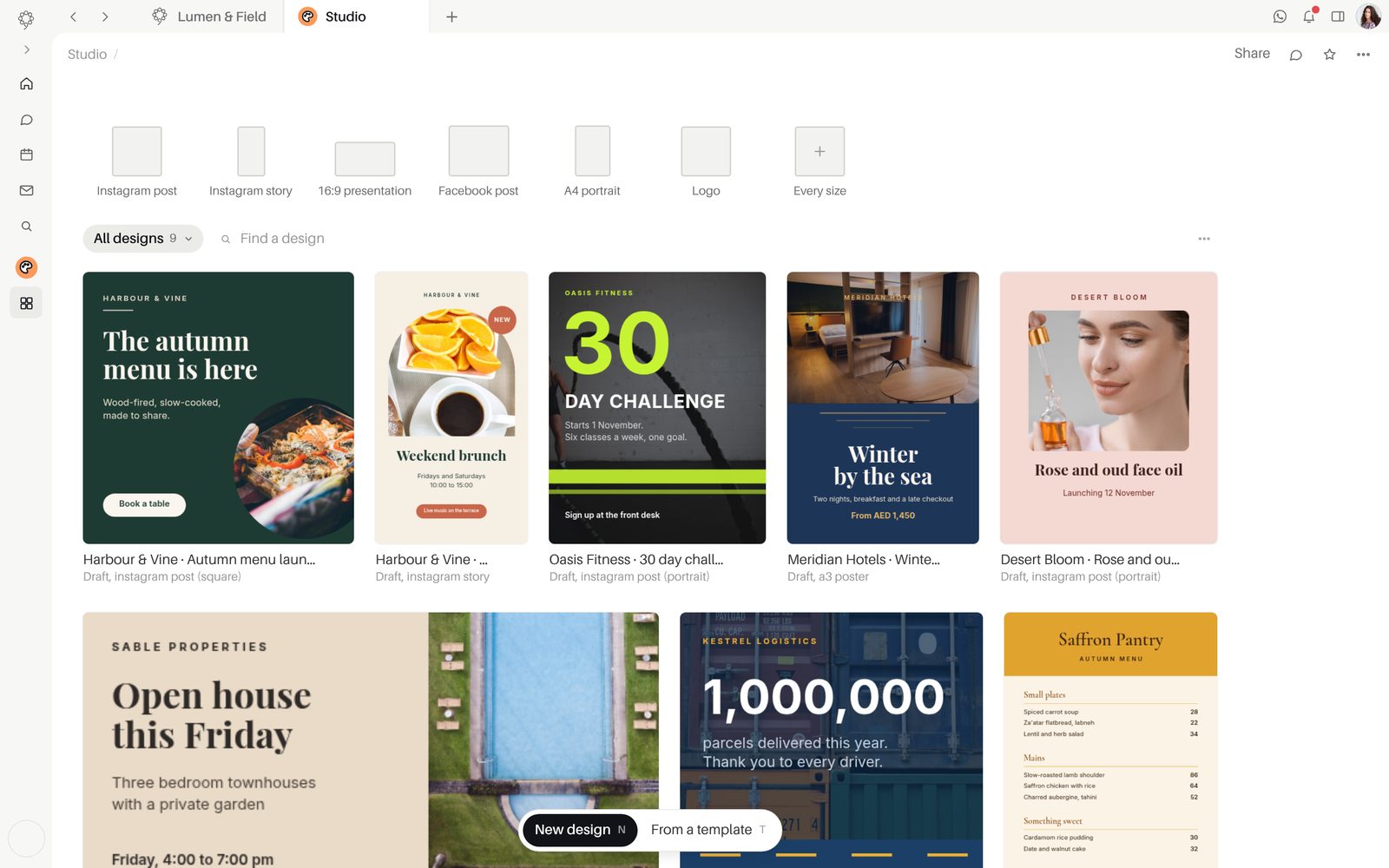
Your brand on every page.
Brand colours, fonts and templates are kept for the whole workspace, and your Shopify products join the kit with their pictures.
- Brand colours and brand fonts
- Your Shopify products in the brand kit
- Templates saved to your workspace
- Folders and trash
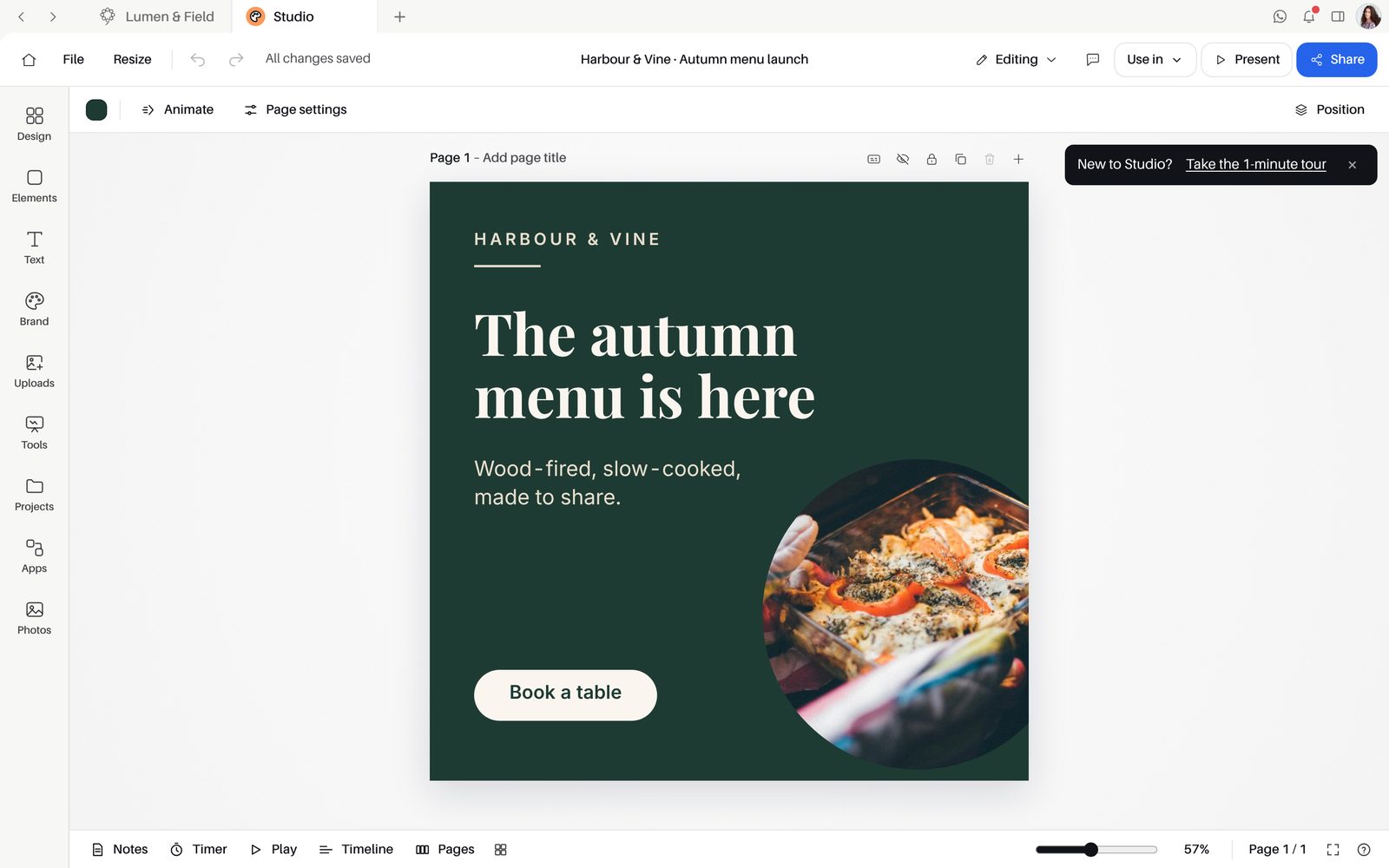
Review it, present it, share it.
Share by link to view, comment or edit, with an expiry date. Present full screen with a presenter view for you.
- Link permission: view, comment or edit
- Link expiry
- Comments and version history
- Download as PNG, JPG, PDF, SVG, MP4 or GIF
From design to post in one press.
"Post to social media" sends up to 10 pages as a carousel, with the caption, channels and time set right there.
- Post to an Instagram account or a Facebook Page
- Your designs among Distribute's pictures
- A form on a page collects answers from the design's link, and can file each one as a lead in the CRM
- Share in Team Space as a card
- Create a review task
Inside Studio
PlansIncluded in every paid plan: Starter, Growth, Agency and Enterprise. Starter, Growth and Agency begin with a 15-day free trial of every app, with no card. Not part of Free.
Good to knowBackground removal runs on your own device.
Good to knowPosting from a design goes to Instagram and a Facebook Page, up to 10 pages at a time.
Questions about Studio
What should we set up first?
Put your brand colours and brand fonts in the brand kit, then start a design or a template saved to your workspace. "Resize this design" adapts it when it has to appear somewhere new.
How does Studio connect to the other apps?
"Post to social media" opens Social with the design attached. Saved designs sit among the pictures of every Distribute email, and "Create a review task" files a review in the design's project in Spaces, linked back to the design.
Which plan includes Studio?
Studio is included in every paid plan: Starter, Growth, Agency and Enterprise. Starter, Growth and Agency begin with a 15-day free trial of every app, and starting it needs no card. Studio is not part of Free.
Are there limits to know about?
Posting goes to Instagram and a Facebook Page, with up to 10 pages as a carousel.
Who can open a design I share?
You choose "Everyone in this workspace" or "Anyone with the link", and whether they can view, comment or edit. A "Link expiry" closes the link on the date you set.
Start free.
Free for up to five people. Every paid plan includes every app. Browser, Mac and iPhone.