Spaces
Projects that know their client and their margin
Project management with time tracking
Run every project as tasks, documents and time, in 18 views of the same work. A won deal opens its project for the same client, and each project gets its own room.
Spaces is in the Free plan for up to 5 people, and in every paid plan.
What you get with Spaces
18 views of the same work.
List, Board, Gantt, Timeline, Workload and eleven more all read the same tasks, so a change in one shows everywhere.
- Gantt chart: start to due as bars, so overlap shows
- Workload: hours on each name against a week
- Form: what somebody outside fills in
- Agile: burndown and velocity across cycles
- Everything: every task in every space, in any of these views
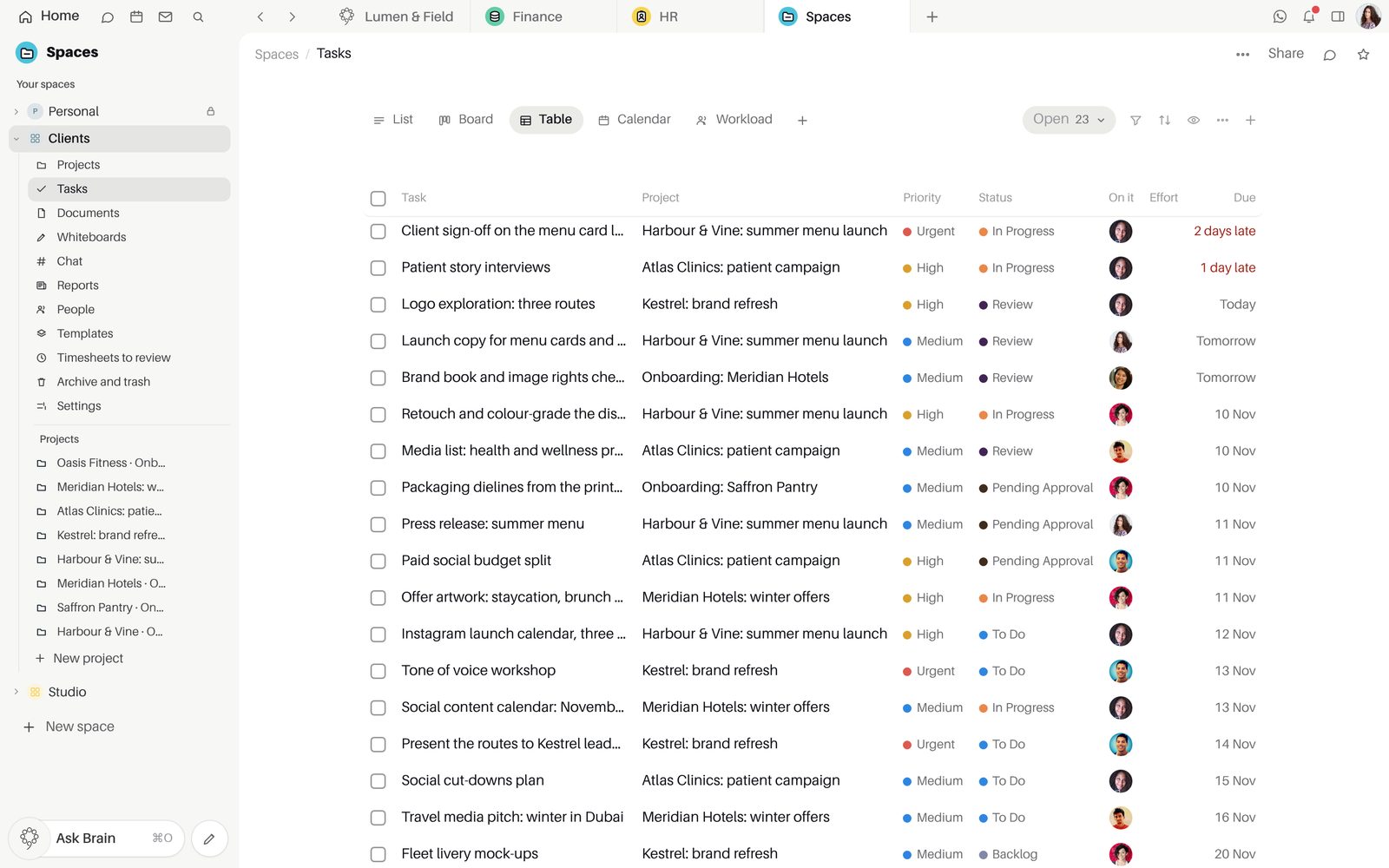
Tasks that carry their context.
Subtasks, checklists, approvals, time and notes sit on the task. Any Team Space message becomes one, and the task tells you when someone on it is on leave.
- "Turn into a task" on any message
- Approvals on a task
- An away notice from approved time off
- Tasks that repeat every day, week, month or year
- A start and stop timer, one running per person
Hours logged, approved and billed once.
People submit their week and a manager approves it. Unbilled hours turn into a draft invoice in one click.
- Log, submit, approve
- Approved weeks are locked
- Hours not billed yet, one click from an invoice
Budget, spent, invoiced and margin, live.
Each project shows its money to the people allowed to see it, and has its own room in Team Space.
- Budget, Spent, Invoiced and Margin
- A room for every project
- Share a space with teammates, or with a guest who views it or edits its tasks
Inside Spaces
PlansOn every plan. Free includes Spaces for up to 5 people. A project's money, billing its hours and projects opened by won deals come with Finance and the CRM, which every paid plan includes (Starter, Growth, Agency and Enterprise).
Good to knowSpaces is on Free for up to 5 people, and a paid plan brings in the CRM and Finance links.
Good to knowSpaces works in tasks, documents and 18 views. Drawing and design work lives in Studio.
Questions about Spaces
How do we get started?
Every workspace starts free for up to 5 people with Home, Team Space, Docs and Spaces, and no card. Make a new space, add your projects and tasks, and share the space with a teammate or with a guest by email.
How does Spaces connect to the other apps?
A won deal in the CRM opens its delivery project for the same company. Hours not billed yet are one click from a draft invoice in Finance, approved time off from HR shows on the task, and every project has its own room in Team Space.
Which plan includes Spaces?
Spaces is on every plan, and Free includes it for up to 5 people. A project's money, billing its hours and projects opened by won deals come with Finance and the CRM, which every paid plan includes.
Are there limits to know about?
Spaces has 18 views and no whiteboard or mind map; drawing and design work lives in Studio. On Free, Spaces is for up to 5 people.
Who sees a project's money?
Budget, spent, invoiced and margin show only to the people allowed to see money. A guest from outside sees only the space shared with them, to view and comment or to edit its tasks, and never assigns work or sees money.
Start free.
Free for up to five people. Every paid plan includes every app. Browser, Mac and iPhone.